Wave goodbye to outdated software

JourneyCARE helps you streamline operations, engage those you serve, and grow effortlessly.

A white background with a few lines on it

The ultimate solution for mission-focused organizations looking to simplify operations, deepen engagement, and drive revenue growth.
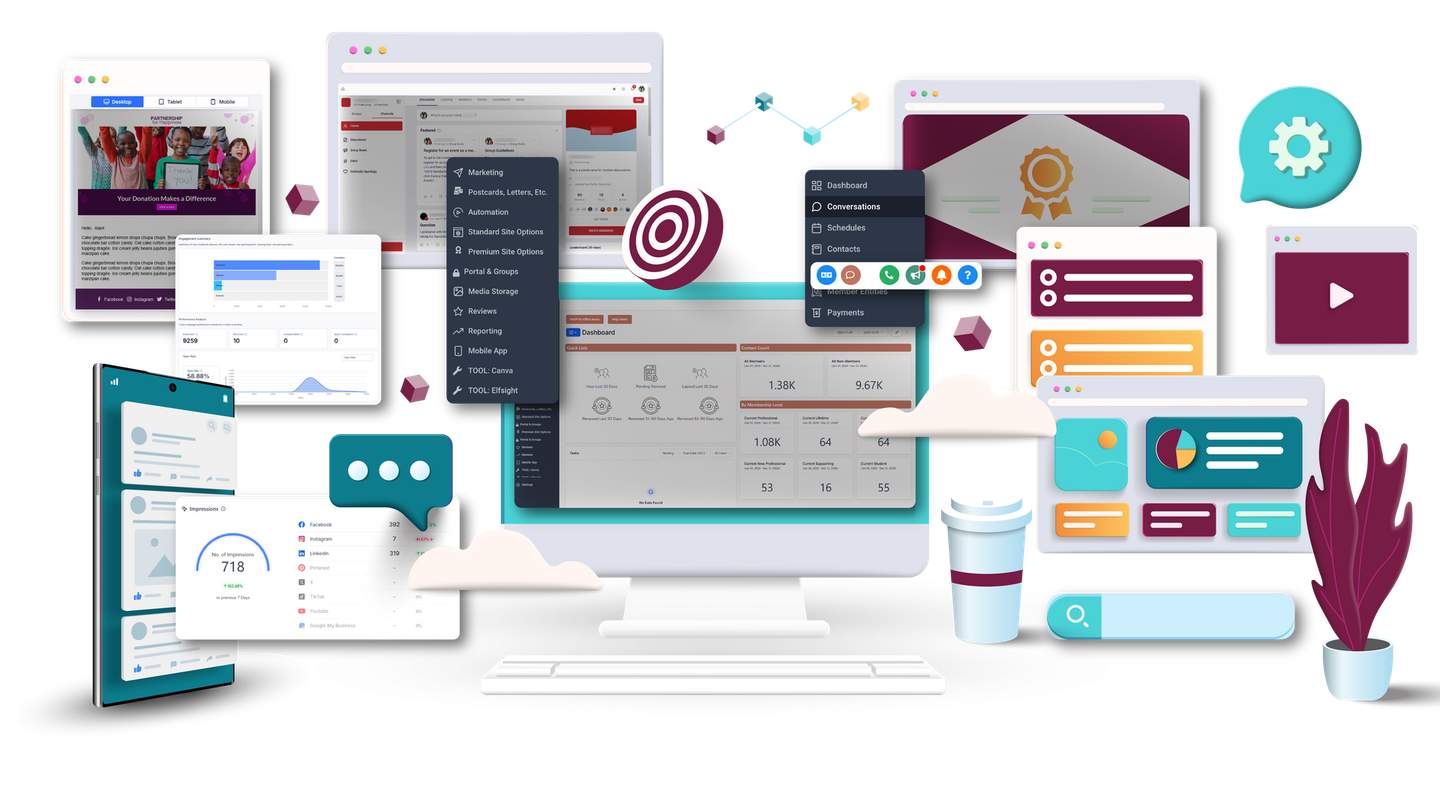
A computer monitor is surrounded by a bunch of different types of devices.
A group of gears on a white background.

Our platform offers an all-in-one suite of tools—from modern website management and seamless communication systems to powerful automation and e-commerce capabilities—designed to save time and enhance efficiency.

A black and white icon of a target on a white background.

With JourneyCARE, you can focus on what matters most: building meaningful connections and delivering exceptional value to your community.

A white background with a few lines on it

Key Benefits & Features

A woman wearing a yellow jacket and jeans is smiling.
A black and white icon of a megaphone on a white background.

Automation & Marketing Tools

Email, text, social media, and more—all integrated.

A group of people standing next to each other in a circle.

Engaging Online Community

Foster connections in a vibrant digital space.

A black and white icon of a stack of coins with a check mark in the middle.

Unlimited Database

Grow without limits or increased costs.

A rocket with a dollar sign on it is flying through the air.

Revenue-Boosting Tools

Course builder, e-commerce, and merchandise capabilities.

A black and white icon of a megaphone on a white background.

Automation & Marketing Tools

Email, text, social media, and more—all integrated.

How We Make Growth Easier


A black and white icon of a computer and a monitor.
Website Editing

Effortlessly create and update your mobile-friendly website with intuitive tools that make editing fast and simple—no tech expertise required.

A black and white icon of a person 's id card with a check mark.
Contact Database

Organize your database with unlimited capacity, custom fields, and automated processes for growth and engagement.

A black and white icon of a calendar with a gear on it.
Event Coordination

Organize events seamlessly with flexible registration forms, automated notifications, and integrated payment processing.

A hand is giving a thumbs up with speech bubbles around it.
Social Media Posting

Plan, schedule, and publish social media content directly from the platform to save time and stay consistent across channels.

A black and white icon of a certificate with a star on it.
Training & Certifications

Deliver engaging online courses, issue certificates, and track progress with an easy-to-use course builder and LMS integration.

A black and white icon of a dollar bill and a credit card.
Payment Processing

Manage payments with secure, integrated e-commerce and subscription capabilities.

A blue paypal logo on a white background
A purple speech bubble with the word woo on it.
A blue circle with the word stripe in white letters
The qb logo is in a green circle on a white background.

We've got some

amazing integrations

Explore Our Integrations
The shopify logo is a green shopping bag with a white letter s on it.
A colorful google drive logo on a white background
A blue linkedin logo with white letters on a blue background.
The facebook logo is a white f on a blue background.
A white instagram logo with a purple and orange background
A close up of a youtube logo on a white background.
A man in a green shirt is giving a thumbs up sign.
A black and white icon of a graph with an arrow pointing up.

Ready to Grow Without the Struggle?

Schedule a Demo

Innovating every single day to bring our clients the most modern features


April 28, 2026
A client had just mentioned how she wished that she could have additional levels of folders in Email Templates to help keep things organized… and the very next day, that exact feature was released! You’ll now notice that you can have folders AND subfolders for Campaigns, Templates, and Sequences, making it easier to structure everything in a way that actually fits how your team works. This makes a big difference as your content grows. You can group related items, reduce clutter, and quickly find what you need without digging through long lists. It’s especially helpful for teams managing multiple clients or large volumes of campaigns, giving you a more scalable and consistent way to stay organized.
April 28, 2026
If you use “Drip Mode” in your automations to spread out the number of people who go through the workflow, you’ll now notice more information available to you before you publish. You can see exactly how your schedule will run with a live preview that shows when each batch will be sent and alerts you to any timing conflicts. Behind the scenes, the updates also make drip behavior more predictable. Changes to settings are clearly explained, queued contacts won’t unexpectedly send all at once, and workflows will pause and resume properly without disrupting your pacing. Overall, this gives you much more confidence in how your drip campaigns will perform, without the guesswork.
April 28, 2026
You now have much more control over how tasks are scheduled inside workflows. Due dates can be set using days, weeks, months, or years, with the option to add a specific time and preview exactly when the task will be due before saving it. Task details are also easier to work with. Descriptions now support rich text formatting, making it simpler to create clear, detailed instructions. Altogether, this update makes it easier to plan follow-ups and assign tasks that are precise, organized, and easier for your team to act on.
April 28, 2026
Events inside Communities now give you much more flexibility in how you host and deliver live sessions. You can run events directly within the platform using a built-in Live Room, or continue using tools like Zoom, Google Meet, or any custom link, all from a single setup. When you create an event, the meeting experience is automatically built in, making it easy for attendees to join without confusion. Whether they’re on desktop or mobile, everything is streamlined into one consistent, easy-to-access experience.
April 28, 2026
Getting internal approval on social posts no longer needs to slow things down. You can now send a secure magic link that lets approvers review, approve, reject, or reschedule posts without logging in. Everything is presented in one place, including full post previews and the ability to leave notes, so feedback is clear and easy to act on. Links are secure, time-limited, and easy to manage, with options to track status, regenerate access, or revoke links as needed. It’s a much smoother way to handle approvals without the usual back-and-forth.
April 28, 2026
The Conversations inbox has been updated to make everyday tasks faster and less frustrating. Bulk actions are now easier to manage, with selections staying in place as you review conversations, so you don’t have to keep reselecting messages while working through your inbox. Internal comments are also much quicker to access. Instead of switching between channels, you can now leave a comment or reply to a customer directly from the same composer. It’s a smoother workflow that makes team collaboration feel more natural and efficient.
View More

Innovating every single day to bring our clients the most modern features


April 28, 2026
A client had just mentioned how she wished that she could have additional levels of folders in Email Templates to help keep things organized… and the very next day, that exact feature was released! You’ll now notice that you can have folders AND subfolders for Campaigns, Templates, and Sequences, making it easier to structure everything in a way that actually fits how your team works. This makes a big difference as your content grows. You can group related items, reduce clutter, and quickly find what you need without digging through long lists. It’s especially helpful for teams managing multiple clients or large volumes of campaigns, giving you a more scalable and consistent way to stay organized.
April 28, 2026
If you use “Drip Mode” in your automations to spread out the number of people who go through the workflow, you’ll now notice more information available to you before you publish. You can see exactly how your schedule will run with a live preview that shows when each batch will be sent and alerts you to any timing conflicts. Behind the scenes, the updates also make drip behavior more predictable. Changes to settings are clearly explained, queued contacts won’t unexpectedly send all at once, and workflows will pause and resume properly without disrupting your pacing. Overall, this gives you much more confidence in how your drip campaigns will perform, without the guesswork.
April 28, 2026
You now have much more control over how tasks are scheduled inside workflows. Due dates can be set using days, weeks, months, or years, with the option to add a specific time and preview exactly when the task will be due before saving it. Task details are also easier to work with. Descriptions now support rich text formatting, making it simpler to create clear, detailed instructions. Altogether, this update makes it easier to plan follow-ups and assign tasks that are precise, organized, and easier for your team to act on.
April 28, 2026
Events inside Communities now give you much more flexibility in how you host and deliver live sessions. You can run events directly within the platform using a built-in Live Room, or continue using tools like Zoom, Google Meet, or any custom link, all from a single setup. When you create an event, the meeting experience is automatically built in, making it easy for attendees to join without confusion. Whether they’re on desktop or mobile, everything is streamlined into one consistent, easy-to-access experience.
April 28, 2026
Getting internal approval on social posts no longer needs to slow things down. You can now send a secure magic link that lets approvers review, approve, reject, or reschedule posts without logging in. Everything is presented in one place, including full post previews and the ability to leave notes, so feedback is clear and easy to act on. Links are secure, time-limited, and easy to manage, with options to track status, regenerate access, or revoke links as needed. It’s a much smoother way to handle approvals without the usual back-and-forth.
April 28, 2026
The Conversations inbox has been updated to make everyday tasks faster and less frustrating. Bulk actions are now easier to manage, with selections staying in place as you review conversations, so you don’t have to keep reselecting messages while working through your inbox. Internal comments are also much quicker to access. Instead of switching between channels, you can now leave a comment or reply to a customer directly from the same composer. It’s a smoother workflow that makes team collaboration feel more natural and efficient.
View More